
How to Plan a Structured Cabling System for Your Office
In today’s hyper-connected business landscape, your network isn’t just a technical necessity, it’s the backbone of your entire operation. Whether you’re setting up a brand-new office or upgrading an outdated infrastructure, planning a structured cabling system is one of the smartest long-term investments you can make. A well-designed cabling system ensures efficiency, reliability, scalability, and simplified management for years to come.
This comprehensive guide walks you through the essential steps for planning a structured cabling system that meets your office’s present and future needs.
What Is Structured Cabling (and Why It Matters)?
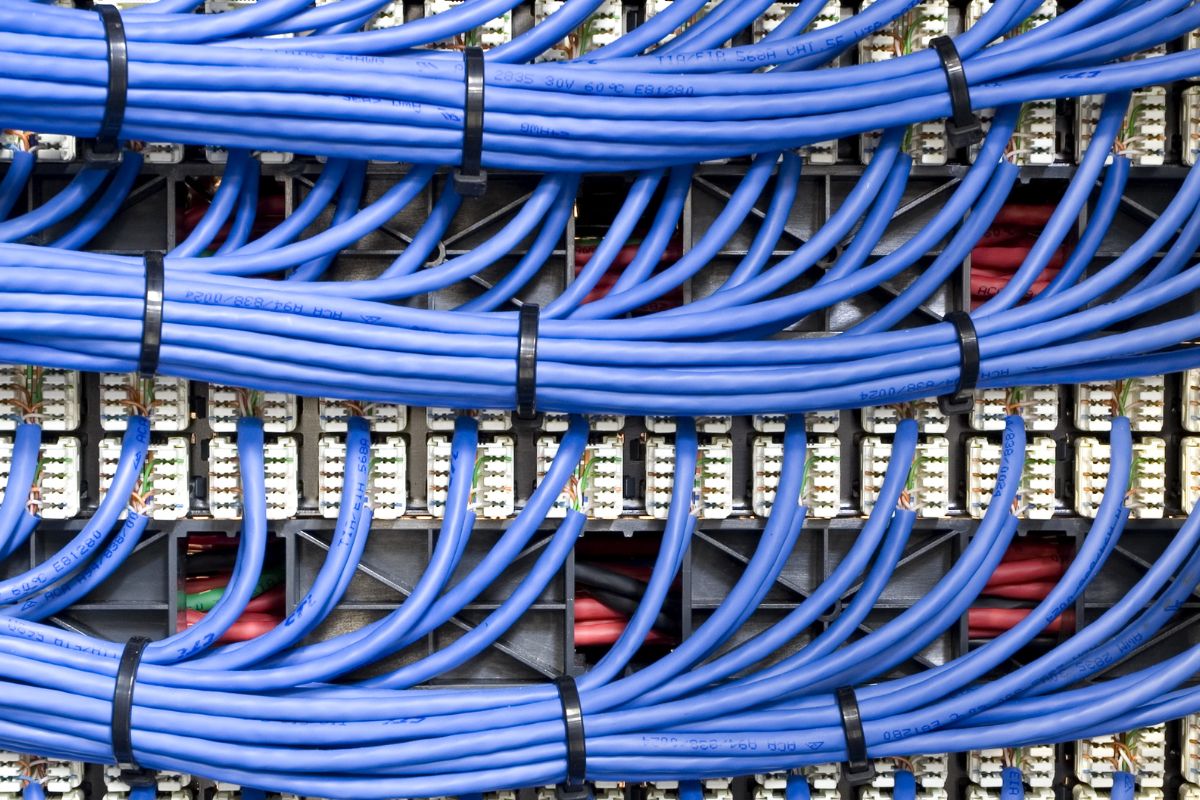
Structured cabling is an organized, standardized approach to building a telecommunications infrastructure. Instead of running multiple tangled cables for every device, structured cabling bundles and organizes the wiring in a highly efficient, easily manageable form.
A proper structured cabling system includes:
- Horizontal and backbone cabling
- Patch panels
- Racks and cabinets
- Network switches
- Wall outlets
- Cable management hardware
Why businesses rely on structured cabling:
- Faster, more reliable network performance
- Better organization and reduced downtime
- Easy troubleshooting and upgrades
- Cost-effective maintenance
- Future-ready support for VoIP, Wi-Fi 6/6E, surveillance systems, and more
Step-by-Step Guide to Planning a Structured Cabling System
1. Assess Your Current and Future Needs
Start with a thorough assessment of your workspace and technology requirements.
Questions to ask:
- How many employees will use the network, now and in the next 3–5 years?
- What devices require connectivity? (PCs, printers, APs, IP phones, cameras, servers)
- Will you expand floors, departments, or add remote workspaces?
- What bandwidth and data speed will your operations demand?
Why this step matters: A structured cabling system should last 10–15 years, so designing with scalability in mind saves you from future rewiring.
2. Review Office Layout and Infrastructure
Your building’s physical environment determines how your cabling will be routed.
Consider:
- Wall materials
- Ceiling type (suspended, concrete, open industrial style)
- Distance limitations
- Server room placement
- Power and cooling availability
Pro tip: Identify potential obstacles such as elevators, HVAC ducts, and sources of electrical interference.
3. Choose the Right Cable Types
Selecting the correct cable category ensures performance and longevity.
Common cable types:
| Cable Category | Speed | Use Case |
| Cat5e | Up to 1 Gbps | Basic office needs |
| Cat6 | Up to 10 Gbps (short distance) | Modern office standard |
| Cat6A | Up to 10 Gbps | High-performance networks |
| Fiber Optic | 10–100+ Gbps | Backbone, long-distance runs |
Recommendation:
Most modern offices opt for Cat6 or Cat6A, with fiber optic for backbone connections.
4. Design the Network Backbone
The backbone connects key areas such as:
- Server room / data center
- Distribution closets
- Different floors or departments
Use fiber optic cabling to support high bandwidth and long distances.
5. Plan Work Area Outlets and Patch Panels
Determine how many Ethernet ports each workspace requires.
General guidelines:
- Minimum two data ports per workstation
- Extra ports for:
- Printers
- IoT devices
- Wireless access points
- VoIP phones
- Conference room equipment
Run all horizontal cabling to patch panels in the network cabinet.
6. Build a Proper Server/Network Room
A reliable server room is the heart of your network.
Requirements:
- Dedicated space free from foot traffic
- Temperature control (18–27°C or 64–80°F)
- Power redundancy (UPS)
- Lockable racks and cabinets
- Fire suppression measures
- Clean cable management pathways
Investing in a high-quality rack system improves organization and improves airflow.
7. Follow Industry Standards
Design your cabling system using these standards:
- TIA/EIA-568 (commercial building cabling)
- TIA/EIA-569 (pathways and spaces)
- ISO/IEC 11801 (international cabling standard)
Standards ensure:
- Compatibility
- Performance
- Compliance for inspections and certifications
8. Implement Cable Management
Good cable management is critical for maintenance, safety, and airflow.
Best practices:
- Use horizontal and vertical cable managers
- Color-code cables by function
- Label every cable at both ends
- Keep power and data cables separate
- Avoid overly tight bends or cable strain
A tidy cable plant saves hours of troubleshooting later.
9. Test and Certify the Cabling
After installation, every cable should be tested with a professional certification tool.
Testing ensures:
- Correct wiring (no shorts, splits, or crosstalk)
- Required bandwidth
- Standard compliance
- Documentation for future upgrades
Provide clients with test results and certification reports.
10. Document Everything
Documentation is vital to long-term network health.
Your cabling documentation should include:
- Floor plans with cable routes
- Patch panel maps
- Switch port assignments
- Labeling schemes
- Test results
- Equipment lists
Future technicians will thank you.
Bonus Tips for a Reliable Structured Cabling System
- Leave extra capacity in cable trays and racks (40–60% free for growth).
- Run additional conduits where possible.
- Install more drops than you currently need, office layouts change.
- Use plenum-rated cables for HVAC spaces.
- Consider PoE+ or PoE++ needs for cameras, phones, and access points.
Final Thoughts
A well-planned structured cabling system is an investment that pays off through enhanced performance, reduced downtime, and easier scalability. By taking the time to analyze your needs, understand your building’s layout, and follow industry standards, you create a network that supports your business for years to come.
Whether you’re moving to a new office or upgrading your current infrastructure, thoughtful planning ensures a clean, future-proof design that grows with your organization.