
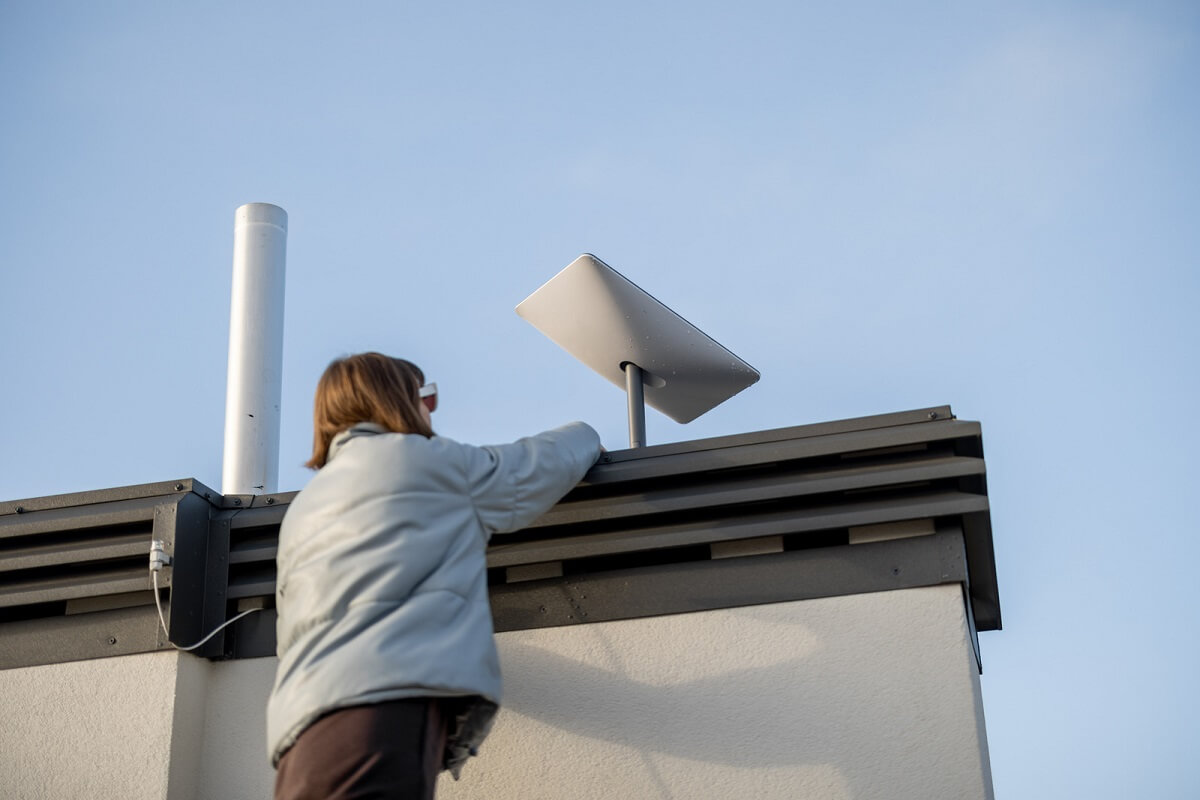
Starlink Installation Explained: What a Professional Technician Does
As fast and reliable internet becomes essential for homes, businesses, farms, and remote properties across Australia, more people are choosing Starlink as their preferred internet solution. Starlink installation is becoming increasingly popular across Australia as homeowners, businesses, farms, and remote properties look for faster and more reliable internet. Powered by low-Earth orbit satellites, Starlink provides high-speed connectivity in locations where traditional NBN and mobile networks may struggle to deliver consistent performance.
Powered by a network of low-Earth orbit satellites, Starlink delivers high-speed internet to locations where traditional NBN, fixed wireless, and mobile networks may struggle to provide consistent performance.
What Does a Professional Starlink Technician Actually Do During Installation?
Although Starlink is designed to support DIY installation, many homeowners and businesses choose a professional Starlink installation service to ensure optimal performance, safe mounting, and long-term reliability.
A qualified Starlink installer does much more than simply mount a satellite dish. From assessing the property and routing cables to configuring the network and testing performance, every step plays a role in delivering the best possible internet experience.
In this guide, we’ll explain exactly what happens during a professional Starlink installation and why hiring an experienced technician can be a worthwhile investment.
Understanding the Starlink System
Before discussing the installation process, it’s important to understand the main components of a Starlink system.
A typical Starlink setup includes:
- Starlink satellite dish (Dishy)
- Starlink router
- Power supply
- Mounting hardware
- Data and power cabling
- Wi-Fi networking equipment
Unlike traditional internet services that rely on underground infrastructure, Starlink communicates directly with satellites overhead. Because of this, correct dish placement is critical for achieving reliable internet speeds and stable connectivity.
What Does a Professional Starlink Technician Do?
1. Site Assessment and Signal Evaluation
Every professional Starlink installation begins with a detailed site assessment.
The technician will inspect the property to determine the best location for the Starlink dish. Since the dish needs a clear view of the sky, even small obstructions can impact performance.
During the assessment, the installer typically checks:
- Trees and vegetation
- Rooflines and neighbouring buildings
- Chimneys and antennas
- Hills or terrain obstructions
- Future tree growth
- Cable routing options
- Safety and access requirements
Choosing the right location from the start helps maximise signal quality, improve internet speeds, and reduce service interruptions.
2. Determining the Best Mounting Position
Not every property is the same, which means there is no one-size-fits-all mounting solution.
A professional Starlink installer will recommend the most suitable mounting option based on the property’s layout and surrounding environment.
Common mounting options include:
- Roof mounting
- Ridge mounting
- Fascia mounting
- Wall mounting
- Pole mounting
- Ground mounting
- Custom elevated mounts
The goal is to achieve the clearest possible view of the sky while ensuring the dish remains secure during strong winds and harsh Australian weather conditions.
Why Proper Starlink Dish Mounting Matters
Correct dish installation is one of the most important factors affecting Starlink performance.
A professionally mounted Starlink dish can provide:
- Better signal reliability
- Faster download speeds
- Improved upload performance
- Fewer service interruptions
- Increased resistance to wind damage
- Longer equipment lifespan
- Improved visual appearance
- Compliance with safety standards
An incorrectly mounted dish may move over time, become obstructed, or experience reduced performance.
3. Cabling Installation and Management
Professional cable routing is a crucial part of every Starlink installation.
A technician carefully routes and secures cables between the Starlink dish and router while protecting them from weather exposure and physical damage. In some homes and businesses, additional data cabling may be installed to improve connectivity between the Starlink router, computers, smart TVs, wireless access points, and other network devices.
This process may include:
- Roof cavity cable runs
- Internal wall cabling
- Weatherproof wall penetrations
- Conduit installation
- Cable protection
- Equipment connections
- Professional cable management
Well-installed cabling improves reliability, protects equipment, and creates a cleaner overall installation.
4. Router Placement and Wi-Fi Optimisation
Many internet issues are caused by poor Wi-Fi coverage rather than the internet service itself.
A professional Starlink technician will identify the best location for the router to maximise wireless coverage throughout the property.
Factors considered include:
- Home layout
- Wall materials
- Number of rooms
- Device usage patterns
- Multi-storey designs
- Home office locations
- Smart home technology
Strategic router placement can significantly improve Wi-Fi performance and reduce dead spots. For larger properties, professional technicians may recommend structured data cabling to provide faster and more reliable connections than Wi-Fi alone.
5. Electrical and Power Considerations
Reliable power is essential for any Starlink system.
During installation, a technician will assess power availability and ensure the equipment can operate safely and efficiently.
This may involve:
- Locating suitable power outlets
- Assessing surge protection options
- Recommending battery backup systems
- Checking cable lengths
- Verifying safe electrical connections
- Reducing weather-related electrical risks
Proper power planning helps minimise downtime and protects your equipment.
6. System Configuration and Setup
Once the hardware has been installed, the technician configures the Starlink system and confirms that everything is operating correctly.
Typical setup tasks include:
- Connecting equipment
- Activating the Starlink service
- Configuring router settings
- Connecting devices
- Creating Wi-Fi network names
- Setting secure passwords
- Updating firmware
- Verifying internet access
The objective is to leave the system fully operational and ready for immediate use.
7. Performance Testing and Verification
A professional Starlink installation isn’t complete until performance has been tested.
Technicians perform several checks to ensure the system is delivering the best possible results.
Testing commonly includes:
- Signal quality analysis
- Obstruction checks
- Download speed tests
- Upload speed tests
- Latency measurements
- Wi-Fi coverage testing
- Device connectivity verification
These tests confirm the installation is performing as expected before the technician leaves the site.
Common Starlink Installation Challenges
Many properties present challenges that can affect installation quality and internet performance.
Professional Starlink technicians regularly solve issues such as:
- Large trees blocking satellite visibility
- Complex roof structures
- Multi-storey homes
- Long-distance cable runs
- Rural property layouts
- Metal roofing systems
- Limited power access
- Extreme weather exposure
Their experience allows them to identify practical solutions that maximise system performance and reliability.
Benefits of Hiring a Professional Starlink Installer
While Starlink supports self-installation, professional installation offers several advantages.
Many installers also specialise in NBN installation and networking solutions, allowing them to design the most effective internet setup for your property.
Key Benefits Include:
- Correct dish positioning
- Maximum signal performance
- Safe roof access and mounting
- Professional cable management
- Faster installation times
- Reduced risk of equipment damage
- Improved Wi-Fi coverage
- Long-term reliability
- Compliance with safety standards
- Expert troubleshooting and support
For many homeowners and businesses, these benefits outweigh the initial installation cost.
How Much Does Professional Starlink Installation Cost?
The cost of Starlink installation varies depending on the property’s size, roof type, accessibility, and mounting requirements.
Standard Installations
Typically suitable for:
- Single-storey homes
- Basic roof mounts
- Wall-mounted installations
- Short cable runs
Complex Installations
May involve:
- Long cable routes
- Multi-storey properties
- Pole-mounted systems
- Rural installations
- Custom mounting solutions
Additional costs may apply for specialised mounting hardware, conduit work, electrical upgrades, or advanced networking requirements.
Can You Install Starlink Yourself?
Yes. Starlink is specifically designed to allow homeowners to install the system themselves.
However, DIY installations can sometimes result in:
- Poor dish placement
- Signal obstructions
- Slower internet speeds
- Roof safety risks
- Incorrect cable routing
- Water ingress issues
- Weak Wi-Fi coverage
- Future maintenance problems
Professional installation helps avoid these issues and ensures your system operates at its full potential from day one.
How to Choose the Right Starlink Installer
Choosing the right installer can make a significant difference to the performance and longevity of your Starlink system.
When comparing providers, look for:
✔ Experience with Starlink installations
✔ Licensed and insured technicians
✔ Positive customer reviews
✔ Transparent pricing
✔ Quality mounting solutions
✔ Networking and Wi-Fi expertise
✔ Residential and rural installation experience
✔ Workmanship guarantees
Asking about previous projects and installation experience can help you select a qualified professional with a proven track record.
Final Thoughts: Professional Starlink Installation Delivers Better Results
Starlink is transforming internet access across Australia, especially in regional and remote areas where traditional broadband services may be limited.
While the technology is designed to be user-friendly, a professional Starlink technician does far more than simply install a satellite dish. From site assessments and cable management to Wi-Fi optimisation and performance testing, every step contributes to a faster, more reliable internet connection.
If you’re investing in Starlink for your home or business, professional Starlink installation can help you get the most from your connection from day one while avoiding common setup issues that may affect long-term performance.
Whether you’re upgrading from an existing NBN installation or building a new network with professional data cabling, Starlink can be integrated to deliver reliable high-speed internet throughout your property.