
How to Install a TV Wall Mount: Step-by-Step Guide
Mounting your TV on the wall is one of the best ways to create a sleek, modern look while saving space. But while the idea of doing it yourself may sound easy, the process can quickly become complicated and even dangerous without the right tools, knowledge, or experience.
In this step-by-step guide, we’ll walk you through how to install a TV wall mount properly and safely. We’ll also explain why hiring a professional can save you time, protect your TV, and ensure the job is done right the first time.
Benefits of Wall Mounting Your TV
Before we dive into the process, let’s look at some of the benefits of wall mounting your television:
- ✅ Space-saving: Free up floor space by eliminating the need for bulky TV units.
- ✅ Cleaner aesthetics: Wires and cables can be hidden for a cleaner look.
- ✅ Optimal viewing angles: Wall mounts offer flexible positioning to reduce glare and eye strain.
- ✅ Child and pet safety: Reduces the risk of TV tip-overs in homes with children or pets.
What You’ll Need Install TV on Wall
Here’s a checklist of tools and equipment commonly needed for a DIY TV wall mount installation:
- TV wall mount bracket (compatible with your TV size and weight)
- Power drill and bits
- Stud finder
- Level
- Tape measure
- Screwdrivers
- Pencil or chalk for marking
- Anchors and screws (usually provided with the bracket)
- Socket wrench
- Cable management kit (optional but recommended)
Step-by-Step Guide to Mounting Your TV
Step 1: Choose the Right Location
Select a wall that offers a clear view from your seating area and has access to power and AV outlets. Avoid mounting above fireplaces unless it’s specifically designed for that, as heat can damage the TV.
Step 2: Find the Wall Studs
Use a stud finder to locate studs behind the wall. TVs must be mounted to studs for safe, secure support never rely on drywall alone.
Tip: Mark the center of each stud with a pencil where the wall mount will go.
Step 3: Measure and Mark Mount Placement
Determine the ideal height for your TV. A good rule of thumb is to have the center of the screen at eye level when seated. Use a level to make sure your marks are straight before drilling.
Step 4: Attach the Mounting Bracket to the Wall
Drill pilot holes into the studs, then use the provided bolts and screws to secure the wall bracket. This is where accuracy is crucial crooked holes or misaligned studs can cause issues later on.
Step 5: Attach the Mounting Plate to the TV
Secure the mounting plate to the back of your TV using the screws included with the mount. Check that everything is tight and aligned with the bracket.
Step 6: Hang the TV on the Wall
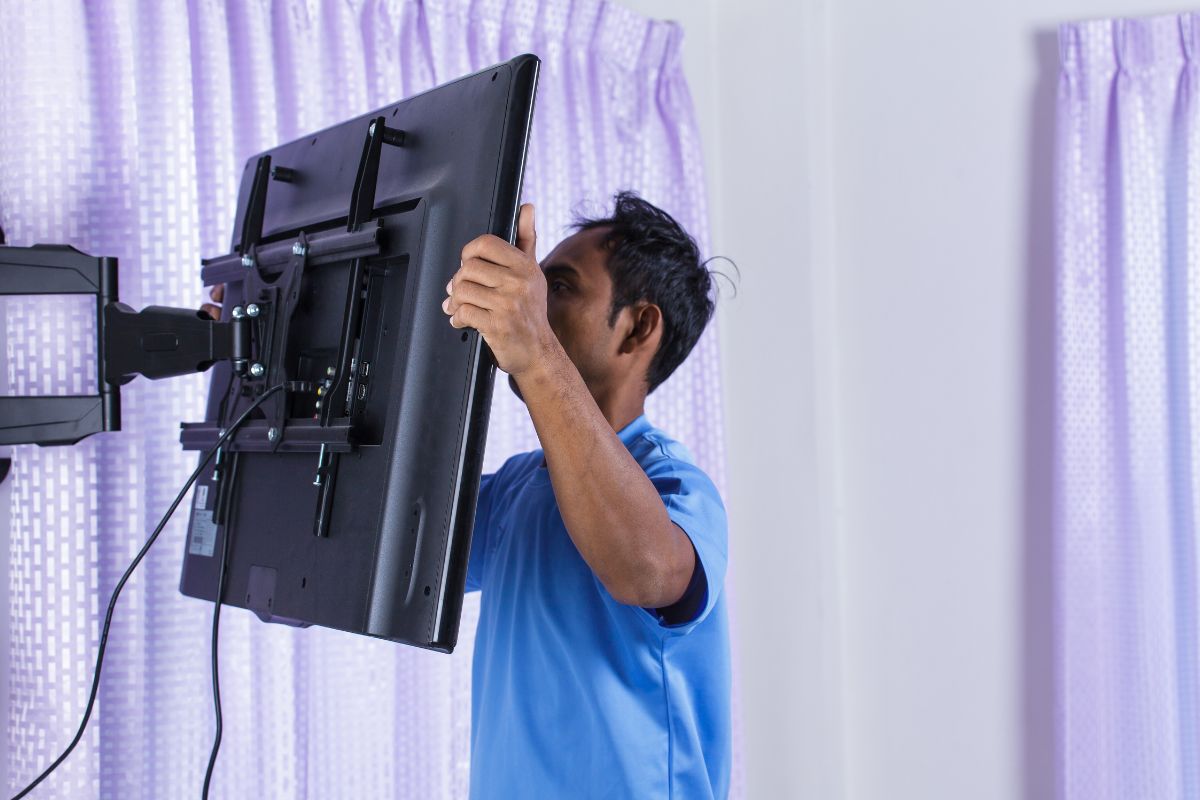
This step usually requires two people. Lift the TV and hook or lock it into place on the wall bracket. Make sure it’s securely attached according to the manufacturer’s instructions.
Step 7: Manage the Cables
Use a cable management system or in-wall cable kit to hide or neatly arrange the cords. Avoid leaving loose wires dangling, as they’re not only unsightly but also a safety hazard.
Common DIY Mistakes to Avoid
- ❌ Mounting into drywall only: This can result in your TV falling and getting damaged.
- ❌ Misjudging weight limits: Not all mounts support all TV sizes.
- ❌ Using incorrect tools or screws: Can lead to unstable mounting or damage to your walls and equipment.
- ❌ Incorrect placement: Poor viewing angles or difficulty accessing power points.
- ❌ Damaging internal cabling inside walls: Risk of electrical hazards or costly repairs.
Why You Should Consider Hiring a Professional
Mounting a TV might seem like a simple weekend DIY project, but there’s more to it than meets the eye. Here’s why bringing in a professional can save you time, money, and stress.
1. Avoid Expensive Mistakes
Mounting a TV may seem straightforward, but one wrong move like drilling in the wrong spot or using the wrong anchors can lead to disaster. Dropping a TV during installation or cracking a wall can result in hundreds of dollars in damage. Professionals bring experience that helps avoid these costly errors. In most cases, the installation fee is far less than the price of a new TV or wall repair.
2. Guaranteed Wall Strength & Stud Positioning
Knowing exactly where and how to drill is crucial. Professionals use stud finders, spirit levels, and wall scanners to ensure your TV is mounted to solid supports not just drywall. They understand wall structures and know how to deal with plasterboard, brick, or concrete. This ensures your TV stays securely fixed for the long term, even in high-use areas.
3. Clean Finish & Hidden Cables
A professional installer does more than just mount your TV, they know how to hide cables inside the wall, behind skirting boards, or through discreet conduit systems. This creates a polished, clutter-free appearance that enhances the look of your entire room. No more tangled wires or visible mess, just a sleek setup that looks like it came straight from a showroom.
4. Compliance with Safety Standards
Many flat-screen TVs weigh 20kg or more and are often mounted high up, increasing the risk of injury or property damage if not installed correctly. Professionals understand and follow relevant safety regulations and load-bearing limits. They ensure every bracket, bolt, and fixture is properly secured protecting both your household and your expensive electronics.
5. Time Savings & Peace of Mind
Trying to install a TV yourself can take hours especially if you’re not confident with tools or measurements. A professional can get the job done efficiently, often in under an hour, with no guesswork and minimal disruption to your day. You’ll save time, avoid frustration, and rest easy knowing the job is done right the first time.
What to Look for in a Professional TV Wall Mount Installer
- ✅ Licensed and insured technician
- ✅ Experience with your wall type (gyprock, brick, concrete)
- ✅ Offers cable concealment options
- ✅ Provides clear pricing with no hidden fees
- ✅ Good reviews or local reputation
Final Thoughts
While DIY installation might seem like a cost-saving option, the risks both in terms of safety and potential damage can outweigh the benefits. If you’re not confident with tools, measuring, or dealing with hidden wiring, it’s wise to hire a professional TV wall mount installer.
A clean, safe, and correctly mounted TV enhances your space and entertainment experience without the headaches. And when you hire a pro, you know it’s done right the first time.
Need Help Mounting Your TV in Sydney?
At Data Cabling Guy, we offer expert TV wall mounting in Sydney. Whether you’re mounting to plaster, brick, or concrete, our licensed technicians ensure a flawless finish, safe installation, and hidden cabling where possible.
👉 Book your installation today and enjoy peace of mind with a professionally mounted TV.