
Top 7 Mistakes NSW Homeowners Make With Starlink Installation
Internet connectivity has become one of the most important parts of modern living. From remote work and online learning to streaming and smart home systems, homeowners across New South Wales rely heavily on stable internet every day. While many urban areas have access to NBN and fibre services, regional and semi-rural parts of NSW often struggle with slow speeds and unreliable connections. This is where Starlink has become a game changer.
Starlink offers high-speed satellite internet with lower latency than traditional satellite providers, making it an attractive option for NSW homeowners living in rural areas, farms, coastal towns, and even suburban properties with poor internet infrastructure. However, despite its growing popularity, many homeowners make costly mistakes during installation that negatively affect internet performance, reliability, and long-term usability.
A poor installation can result in slow speeds, frequent dropouts, signal obstruction issues, damaged equipment, or unnecessary expenses. In many cases, homeowners blame the service itself when the real issue comes down to improper setup.
In this blog, we will explore the top 7 mistakes NSW homeowners make with Starlink installation and how to avoid them.
1. Installing the Dish in the Wrong Location
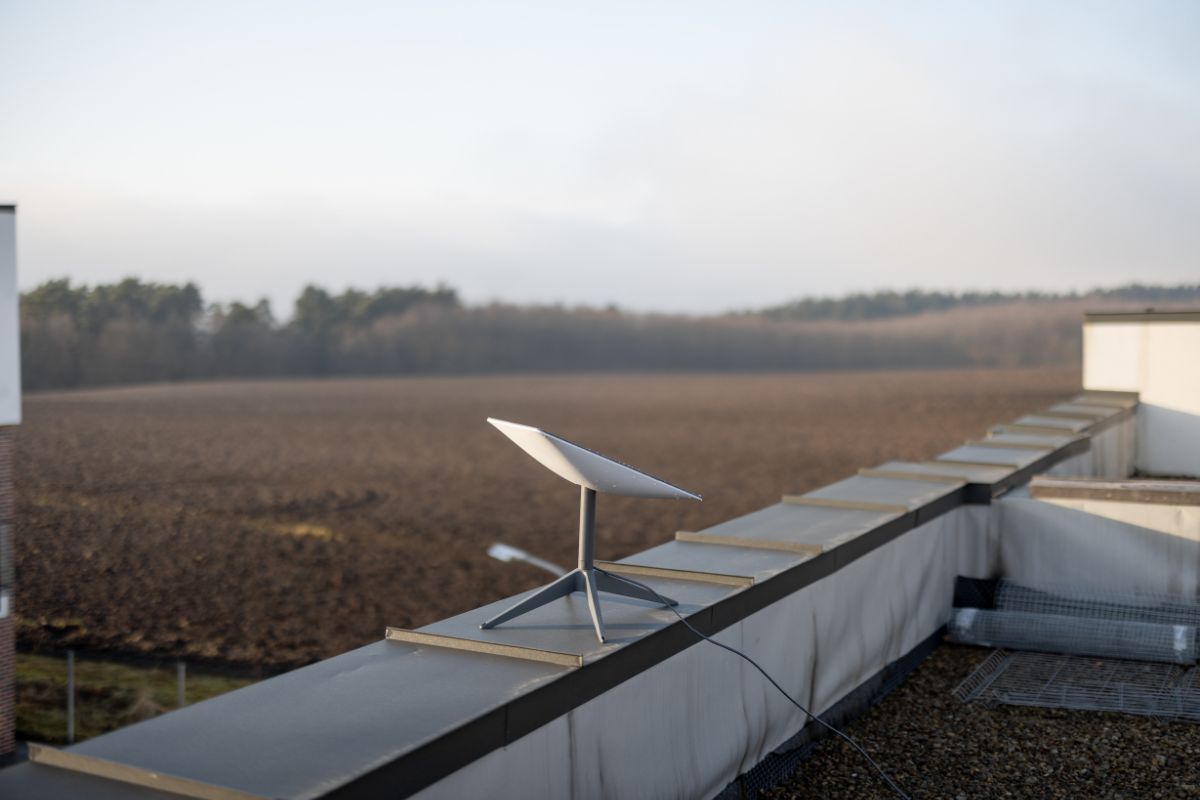
One of the most common mistakes homeowners make is placing the Starlink dish in an area with partial sky obstruction. Unlike traditional satellite systems that point toward a fixed satellite, Starlink satellites move across the sky continuously. This means the dish requires a wide, unobstructed view of the sky for optimal performance.
Many homeowners install the dish:
- Near trees
- Beside chimneys
- Under roof overhangs
- Near power poles
- In narrow backyard spaces
- Too close to neighboring buildings
Even small obstructions can interrupt the satellite connection and cause:
- Frequent internet dropouts
- Video call interruptions
- Gaming lag
- Reduced download speeds
- Poor streaming quality
This issue becomes even more common in heavily vegetated areas across NSW, including the Blue Mountains, Central Coast hinterlands, and rural properties with tall eucalyptus trees.
How to Avoid This Mistake
Before installation:
- Use the Starlink app obstruction scanner
- Check the sky visibility throughout the day
- Choose the highest practical mounting location
- Consider roof mounts or pole mounts if necessary
Professional installers usually conduct a full site assessment before mounting the dish to ensure maximum sky exposure.
2. Choosing Cheap or Incorrect Mounting Hardware
Another major mistake is trying to save money on mounting equipment. Some homeowners use temporary brackets, weak poles, or low-quality hardware not designed for Australian weather conditions.
NSW weather can be harsh, especially in coastal regions and storm-prone areas. Strong winds, heavy rain, hailstorms, and salt air exposure can quickly damage poor-quality mounts.
Common problems caused by incorrect mounting include:
- Dish movement during wind
- Misalignment issues
- Roof leaks
- Rusted hardware
- Structural instability
- Cable damage
A loose mount can significantly reduce Starlink performance because the dish requires stable positioning to maintain consistent satellite tracking.
Best Practice
Use:
- Weather-resistant mounting systems
- Galvanised or stainless steel hardware
- Professionally rated roof brackets
- Proper waterproof sealing methods
The installation should comply with Australian roofing and electrical safety standards.
3. Ignoring Roof Safety During DIY Installation
Many homeowners underestimate the risks involved in roof installations. Starlink systems are often installed on rooftops to achieve better sky visibility, but working at heights without proper safety equipment can be extremely dangerous.
In NSW, falls from roofs are a major cause of household injuries during DIY projects.
Common DIY mistakes include:
- Walking on fragile roof sections
- Using unstable ladders
- Installing during wet weather
- Incorrect harness usage
- Drilling into roofing materials improperly
Besides personal injury risks, poor roof work can also create expensive property damage such as water leaks and structural issues.
Why Professional Installation Matters
Professional Starlink installers understand:
- Roof load points
- Safe mounting practices
- Waterproof penetration sealing
- Cable routing methods
- Australian safety regulations
Hiring experienced installers can prevent costly repairs and reduce safety risks.
4. Poor Cable Management and Exposure
Cable installation is one of the most overlooked parts of Starlink setup. Many homeowners simply run cables across roofs, walls, gardens, or windows without proper protection.
Over time, exposed cables can suffer from:
- UV damage
- Water penetration
- Rodent attacks
- Physical wear and tear
- Accidental cuts
- Electrical interference
Poor cable management also affects the appearance of the property and can create trip hazards.
Common Cable Mistakes
Some common issues include:
- Drilling oversized holes
- Leaving cables hanging loosely
- Running cables near electrical wiring
- Using indoor-rated cable clips outside
- Failing to weatherproof entry points
Proper Installation Approach
A professional installation typically includes:
- Concealed cable routing
- UV-protected cable clips
- Waterproof wall entry points
- Safe separation from power cables
- Neat and organised cable management
Good cable installation improves both reliability and aesthetics.
5. Not Considering Future Expansion or WiFi Coverage
Many NSW homeowners focus only on getting Starlink connected without thinking about whole-home internet coverage. While Starlink provides internet access, WiFi performance inside the home depends heavily on router placement and network design.
Large homes, double-storey properties, granny flats, sheds, and outdoor entertainment areas often experience weak signals if the network is not planned properly.
Common complaints include:
- Slow speeds in bedrooms
- Weak outdoor coverage
- WiFi dead zones
- Smart home devices disconnecting
- Poor streaming upstairs
In rural NSW properties, homeowners may also need coverage for:
- Workshops
- Barns
- Home offices
- Guest houses
- Security systems
Better Network Planning
A proper Starlink setup should include consideration for:
- Mesh WiFi systems
- Additional access points
- Router positioning
- Ethernet cabling
- Outdoor WiFi solutions
Professional installers often recommend customised network solutions based on the property layout.
6. Assuming Starlink Works Perfectly Everywhere
Some homeowners expect Starlink to deliver identical performance in every location regardless of surroundings or environmental conditions.
While Starlink performs extremely well compared to older satellite services, several factors still influence performance, including:
- Tree density
- Weather conditions
- Terrain
- Roof positioning
- Satellite congestion
- Local interference
For example:
- Heavy storms may temporarily affect speeds
- Mountainous regions can create visibility challenges
- Dense tree cover can interrupt connectivity
- Coastal salt exposure can impact hardware longevity
Setting Realistic Expectations
Starlink is an advanced technology, but installation quality still matters significantly. Proper positioning and network optimisation help maximise the system’s performance.
Homeowners should also regularly:
- Update firmware
- Check obstruction reports
- Inspect mounting stability
- Monitor cable conditions
Routine maintenance helps ensure long-term reliability.
7. Hiring Unqualified Installers
Perhaps the biggest mistake NSW homeowners make is hiring inexperienced or unqualified installers offering cheap pricing without proper expertise.
As Starlink demand grows rapidly across Australia, many general handymen and unlicensed installers now advertise Starlink installation services without fully understanding:
- Roof safety requirements
- Signal optimisation
- Cable routing standards
- Networking configuration
- Waterproofing techniques
- Electrical safety compliance
A poor installation may initially appear acceptable but later result in:
- Roof leaks
- Internet instability
- Property damage
- Warranty issues
- Expensive repair work
What to Look for in a Starlink Installer
Before hiring an installer, homeowners should check:
- Experience with Starlink systems
- Insurance coverage
- Customer reviews
- Knowledge of NSW installation conditions
- Proper mounting equipment
- Network setup expertise
Choosing an experienced installer often saves money in the long run by preventing future issues.
Why Professional Starlink Installation Is Worth It
While DIY installation may seem simple at first, professional installation provides several advantages:
- Better Internet Performance: Correct dish placement improves signal quality and reduces interruptions.
- Improved Safety: Professionals use proper safety equipment and follow installation standards.
- Cleaner Appearance: Neat cable management and professional mounting improve property aesthetics.
- Long-Term Reliability: Quality hardware and proper setup reduce maintenance issues.
- Customised WiFi Solutions: Professionals can optimise internet coverage across the entire property.
Final Thoughts
Starlink has transformed internet access for thousands of homeowners across NSW, especially in rural and regional areas where traditional internet options remain limited. However, installation quality plays a critical role in overall performance and user satisfaction.
From incorrect dish placement and poor cable management to unsafe DIY practices and hiring inexperienced installers, small mistakes can create major connectivity problems over time.
A properly planned and professionally installed Starlink system helps homeowners enjoy:
- Faster internet speeds
- Better reliability
- Reduced dropouts
- Stronger home WiFi coverage
- Long-term durability
For NSW homeowners investing in Starlink, avoiding these common mistakes can make the difference between frustrating internet problems and a smooth, high-performance online experience for years to come.