
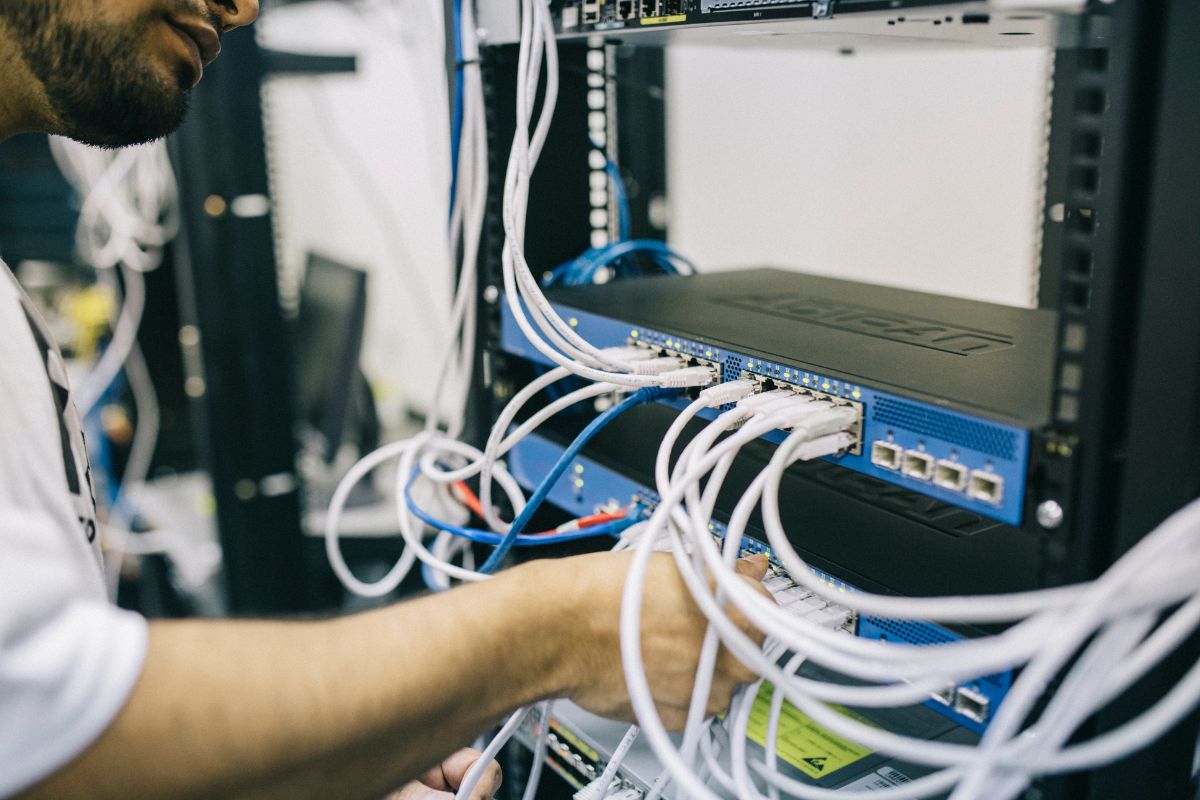
Top Data Cabling Tips for Moving Office
Moving office premises can be an exciting milestone for any business, promising fresh environments, improved infrastructure, and new opportunities. However, amidst the excitement, one critical element often gets overlooked or underestimated data cabling. Efficient, well-planned data cabling is essential for smooth operations, ensuring your IT network runs seamlessly from day one in the new location.
In this detailed guide, we’ll walk you through the top data cabling tips to help you avoid common pitfalls, minimize downtime, and optimize your network infrastructure during your office move.
Why Data Cabling Matters in an Office Move
Data cabling is the backbone of your office’s communication network — supporting internet connectivity, phone systems, server connections, security systems, and more. A poorly planned or executed cabling setup can lead to:
- Network downtime and productivity loss
- Connectivity issues or slow internet speeds
- Increased maintenance costs and troubleshooting headaches
- Security vulnerabilities if cabling is exposed or unmanaged
Getting your cabling right during a move lays the foundation for reliable network performance and scalable growth.
1. Start Planning Early – Months in Advance
The biggest mistake companies make is waiting too long to plan their cabling strategy.
Key Actions:
- Conduct a full audit of your current cabling and network equipment. Identify what can be reused, what needs replacing, and what new equipment or cables you’ll need.
- Map out the new office layout. Know exactly where workstations, meeting rooms, server rooms, and networking closets will be.
- Engage with IT and cabling professionals early. They can advise on cabling standards, infrastructure needs, and compliance requirements.
Starting early means you avoid last-minute chaos and costly fixes.
2. Design a Future-Proof Cabling Infrastructure
Your new office setup should not only meet current needs but be scalable for future growth.
Consider:
- Structured cabling systems: Use standardized cabling such as Cat6a or Cat7 to support high-speed Ethernet (up to 10 Gbps or more).
- Fiber optic cables for backbone connections, especially if your office is large or has multiple floors.
- Sufficient cable runs and extra ports: It’s easier to install extra cables now than add them later.
- Cable management solutions: Use cable trays, conduits, and labeling to keep wiring organized and easy to maintain.
3. Label Everything Clearly
Proper labeling is often underestimated but is critical for ongoing maintenance and troubleshooting.
Tips:
- Use a consistent labeling scheme for all cables, patch panels, and ports.
- Include information such as origin, destination, cable type, and installation date.
- Consider using color-coded cables for different functions (data, voice, power).
Clear labeling saves hours in diagnosing network issues down the line.
4. Choose the Right Cabling Type and Quality
Don’t cut corners on cable quality. It directly affects network speed, reliability, and lifespan.
Common cable types:
- Cat5e: Supports up to 1 Gbps, suitable for basic office needs but becoming outdated.
- Cat6: Supports 1 Gbps and 10 Gbps at shorter distances; ideal for most office networks.
- Cat6a: Improved shielding and capable of 10 Gbps up to 100 meters best for future-proofing.
- Fiber optic: For long-distance, high-bandwidth backbone connections.
Always buy cables from reputable manufacturers and ensure they comply with industry standards (TIA/EIA).
5. Plan Your Network Layout Strategically
Optimize the physical layout of your network to reduce cable lengths and avoid congestion.
- Centralize your server room or network closet as much as possible.
- Plan workstation locations to minimize cable runs.
- Avoid running cables near electrical wiring to prevent interference.
- Ensure cable paths avoid high-traffic areas to reduce damage risk.
6. Hire Professional Installers for Complex Jobs
Unless you have an experienced in-house team, hiring professionals office data cabler is a wise investment.
Why?
- Certified technicians follow standards for cable installation, termination, and testing.
- They ensure proper grounding, shielding, and compliance with safety codes.
- Professionals can advise on the best cable routes, patch panel setups, and rack organization.
7. Conduct Thorough Testing and Documentation
Before your network goes live, every cable and connection should be tested.
Testing includes:
- Continuity testing to confirm the cable runs without breaks.
- Performance testing for speed, crosstalk, and interference.
- Certification testing to verify compliance with standards.
Document all test results and update your network diagrams. This documentation is invaluable for future troubleshooting or upgrades.
8. Prepare for Minimal Downtime During the Move
To avoid crippling business interruptions, plan your network migration carefully.
Strategies:
- Stage the move in phases, moving small sections at a time.
- Set up and pre-test network infrastructure before the move date.
- Arrange for backup internet connections or mobile hotspots as fallback.
- Communicate clearly with your team about scheduled downtime and provide support.
9. Don’t Forget Power and Cooling Needs
Data cabling isn’t just about data, your network equipment requires power and proper cooling.
- Ensure your server room has sufficient power outlets, ideally on UPS backup.
- Plan cable runs to avoid overheating; avoid bundling cables tightly which can degrade performance.
- Consider installing cable pathways with ventilation to maintain airflow.
10. Stay Compliant with Safety and Building Codes
Your cabling installation must meet all relevant local and national codes, such as fire safety and electrical regulations.
- Use plenum-rated cables in air handling spaces.
- Follow cable length limits to prevent signal degradation.
- Ensure cables are secured properly to avoid trip hazards or damage.
Bonus Tips
- Label network equipment like switches and routers as well.
- Keep spare cables, connectors, and tools on hand.
- Use patch panels and switches that support remote management.
- Regularly review and update your network infrastructure post-move.
Final Thoughts
Moving office is a significant logistical challenge, and your data cabling strategy is a core pillar of a successful transition. With careful planning, professional installation, and thorough testing, you can ensure your business stays connected and productive throughout the move and beyond.
If you’re overwhelmed by the technical details, don’t hesitate to reach out to network cabling experts — their guidance can save you time, money, and headaches.