
Ultimate Guide to Data Center Cable Management Best Practices
When it comes to data centers, power and cooling often dominate the conversation. However, cable management is an equally critical pillar of a well-functioning, scalable, and safe data center environment. Poor cable management leads to increased downtime, difficulty in maintenance, airflow blockage, and even safety hazards.
In this exhaustive guide, we’ll dive deep into the best practices of data center cable management — covering everything from design strategy and installation to monitoring and ongoing maintenance.
13 Expert Tips for Mastering Data Center Cable Management
Effective cable management is the backbone of a high-performance, scalable, and safe data center. Without it, you risk airflow obstruction, increased downtime, and chaotic troubleshooting. In this guide, we’ll walk you through 13 expert tips to help you master data center cable management with precision and confidence.
1. Why Cable Management Matters
Proper data centre cable management is more than just keeping things neat. It impacts:
- Uptime: Quickly identify and replace failed cables.
- Cooling efficiency: Blocked airflow can raise equipment temperatures and lead to overheating.
- Safety: Poor cable layouts increase the risk of accidents, fire, or electrocution.
- Scalability: Easily add, remove, or reorganise hardware.
- Troubleshooting: A well-labeled and structured layout saves hours during diagnostics.
- Aesthetics: A professional appearance for client visits and compliance audits.
2. Planning Phase
a. Capacity Planning
Start with understanding how many devices your data center will support initially and plan for 30–50% future growth. Oversizing cable trays and conduits is a proactive approach.
b. Cabling Standards and Color Codes
- Adopt industry standards such as TIA-568 and TIA-942.
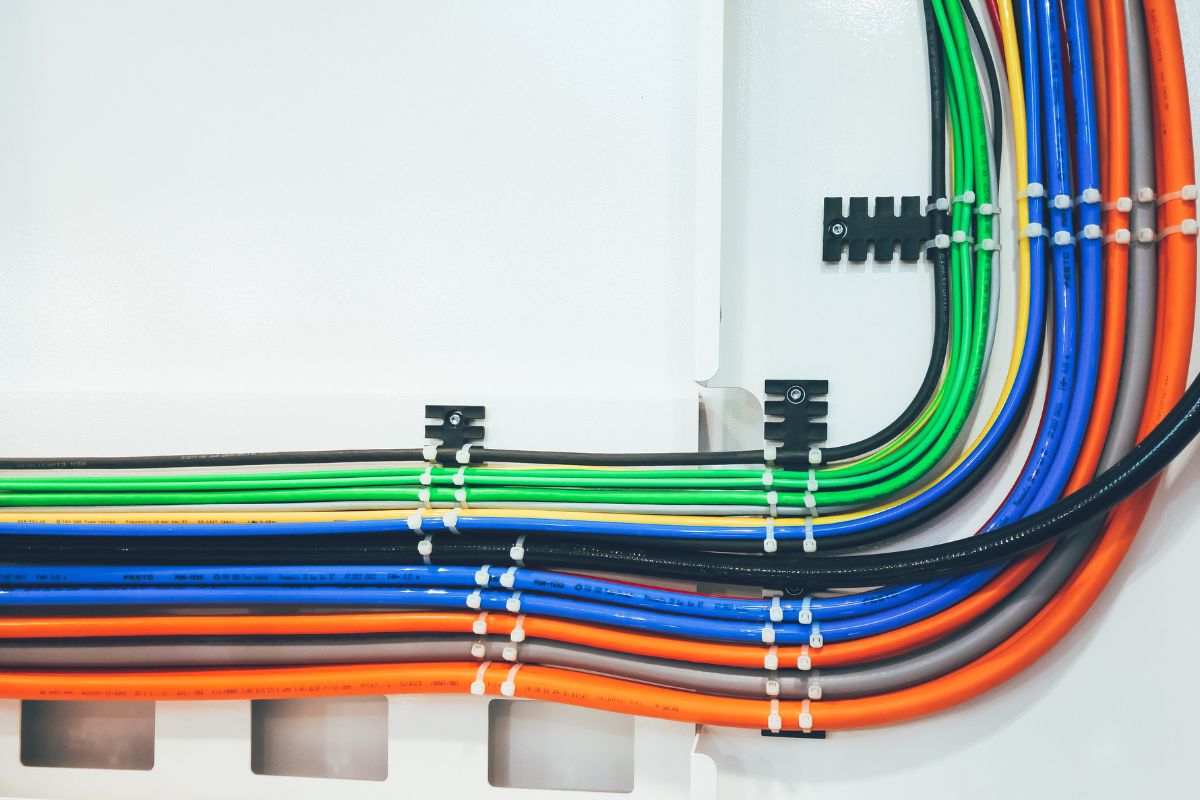
- Use color-coded cables for different functions:
- Blue: Network cables (Ethernet)
- Red: Critical systems
- Yellow: Backbone or ISP connections
- Green: Cross-connects
- Orange: Inter-switch links or uplinks
c. Documentation Systems
Before any cable is laid, map out the topology digitally. Use tools like:
- NetBox
- Microsoft Visio
- SolarWinds
- DCIM (Data Center Infrastructure Management) platforms
3. Types of Cables and Their Roles
Understanding the types of cables is crucial:
- Copper (Cat5e, Cat6, Cat6a, Cat7): Used for short-distance networking.
- Fiber Optic (Single-mode, Multi-mode): Preferred for high-speed, long-distance data transmission.
- Power Cables (IEC, C13, C14, C19, C20): Should be separately routed to prevent EMI (electromagnetic interference).
Choose the cable type based on the distance, bandwidth needs, and environmental factors like temperature and humidity.
4. Labeling and Identification
Every cable should be labeled at both ends. Labels should include:
- Source and destination devices
- Port number
- Cable type
- Date installed
- Technician initials
Use heat shrink labels or wrap-around labels to ensure durability.
5. Physical Infrastructure and Pathways
a. Horizontal vs. Vertical Cable Management
- Horizontal: Keeps cables neat within racks, usually using horizontal managers or patch panels.
- Vertical: Routes bundles down the sides of racks and cabinets, using vertical managers or raceways.
b. Ladder Racks and Cable Trays
- Install above racks for bulk routing.
- Secure cables with Velcro straps every 12–18 inches.
- Leave extra capacity for future growth.
c. Raised Floors vs. Overhead
- Raised floors: Great for power and some fiber runs but harder to access.
- Overhead: Easier to maintain and less prone to airflow disruption.
Use separate trays for power and data to minimise interference.
6. Separation of Power and Data Cables
Never route power and data cables together. EMI can cause signal degradation or equipment failure. Follow NEC and TIA recommendations for minimum separation distances.
7. Cable Routing Best Practices
a. Bend Radius and Stress Relief
- Follow manufacturer specifications for minimum bend radius.
- For fiber optics, this is especially critical to avoid signal loss.
b. Avoiding Cable Congestion
- Route cables in bundles, but avoid overcrowding.
- Separate bundles by destination (e.g., switch, patch panel, server row).
c. Velcro vs. Zip Ties
- Velcro is preferred for its reusability and non-abrasive grip.
- Zip ties can damage cables and should be used only where permanent fixing is required.
8. Patch Panels and Cable Length Management
Patch panels centralise connections and reduce direct plug-ins into switches. Benefits include:
- Easier troubleshooting
- Modular design
- Cleaner look
Use pre-measured patch cables to avoid slack, which can block airflow or hang dangerously.
9. Airflow and Cooling Efficiency
Cables that block vents, fan outputs, or cold aisles can reduce efficiency by up to 30%. To ensure optimal airflow:
- Bundle and elevate cables
- Avoid overstuffed trays
- Maintain hot/cold aisle separation
- Use blanking panels where equipment is absent
10. Labeling and Documentation Standards
Follow industry documentation practices:
- ANSI/TIA-606-C for labeling
- Use QR codes linked to digital documentation
- Maintain cable maps, panel diagrams, and logical network maps
Update documents with every change — no exceptions.
11. Maintenance, Auditing, and Troubleshooting
a. Regular Inspections
- Check for loose connectors
- Look for worn or bent cables
- Verify labeling and documentation accuracy
b. Audits
- Bi-annual audits are ideal
- Reassess pathway congestion, patch panels, and routing quality
c. Troubleshooting Tips
- Trace cables using documented paths
- Use cable testers or TDR tools
- Keep spare cables organised by type and length
12. Future-Proofing Your Cable Management
- Use cable trays with 50% extra capacity
- Deploy high-bandwidth cables even if not fully used (e.g., Cat6a over Cat5e)
- Modular patch panels for easy upgrades
- Plan with scalability in mind — what works for 100 servers should work for 150
13. Common Mistakes to Avoid
- Skipping cable labeling
- Mixing power and data cables
- Using excessive zip ties
- Overlooking airflow design
- Poor documentation or ignoring updates
- Running cables under heavy equipment
- Failing to train staff on cable standards
Conclusion
Data center cable management isn’t just about aesthetics — it’s the foundation of a scalable, efficient, and safe IT infrastructure. Whether you’re designing a new facility or upgrading an existing one, adhering to cable management best practices will significantly improve uptime, safety, and manageability.
Every cable, label, and layout choice you make today influences the operational health of your data center for years to come. Don’t cut corners; invest the time in planning and executing a robust cable management strategy.
Master cable management with 14 expert tips. Boost efficiency & airflow. Need help? Contact The Data Cabling Guy for services like data cabling in Sydney.